
PolyBuzz AI leans hard into story-driven roleplay with an anime and webtoon edge, and after spending a few days inside it, that focus shows in almost everything the app does. We chatted with two very different characters, built our own persona and a custom bot from scratch, ran the standalone image generator a handful of times, and leaned on the "Go On" auto-continue button more than expected just to see how it changes the rhythm of a scene.
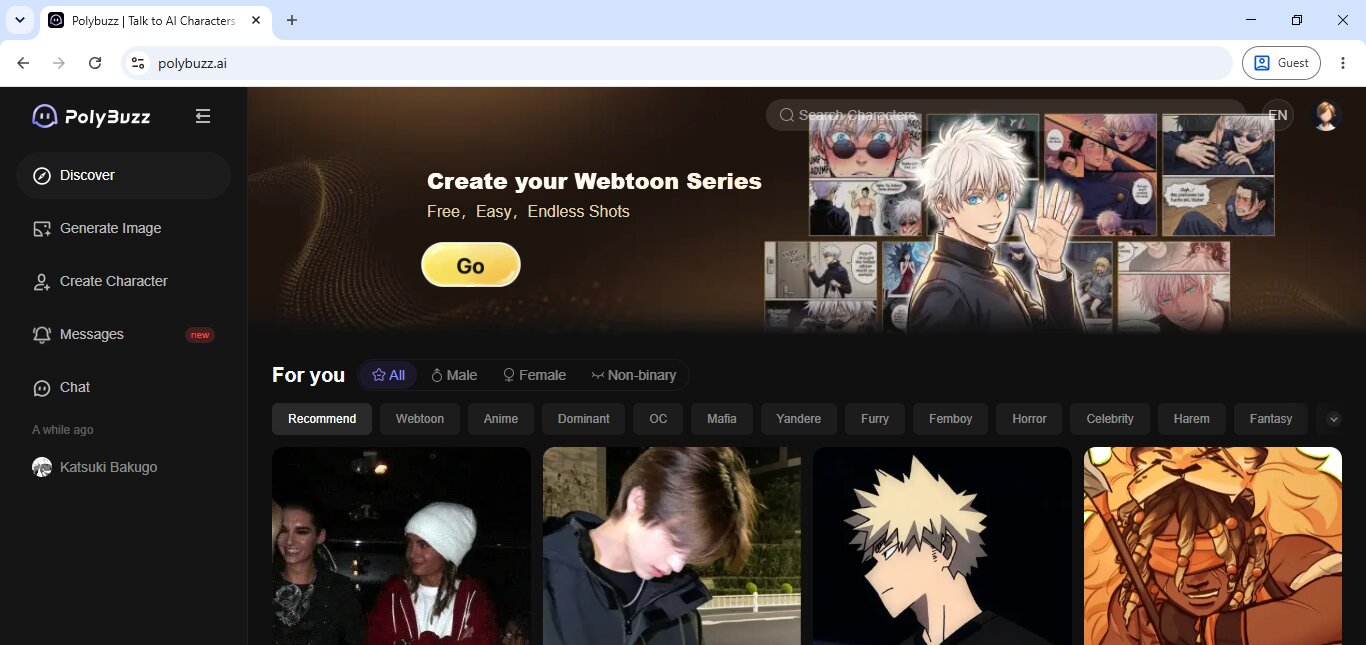
What Is PolyBuzz AI?
PolyBuzz AI is a character chat platform built around story-first roleplay, and most of the catalog skews anime or webtoon in style. Conversations happen mostly through text, and there's a separate AI image generator that lives outside the chat window instead of being baked into it. A character builder lets you make your own bots from the ground up, a persona tool lets you decide who you are inside these stories, and the free tier covers browsing, chatting, and image generation without asking for a card upfront. It sits alongside the other AI anime chatbots we've tested.
Key Features of PolyBuzz AI
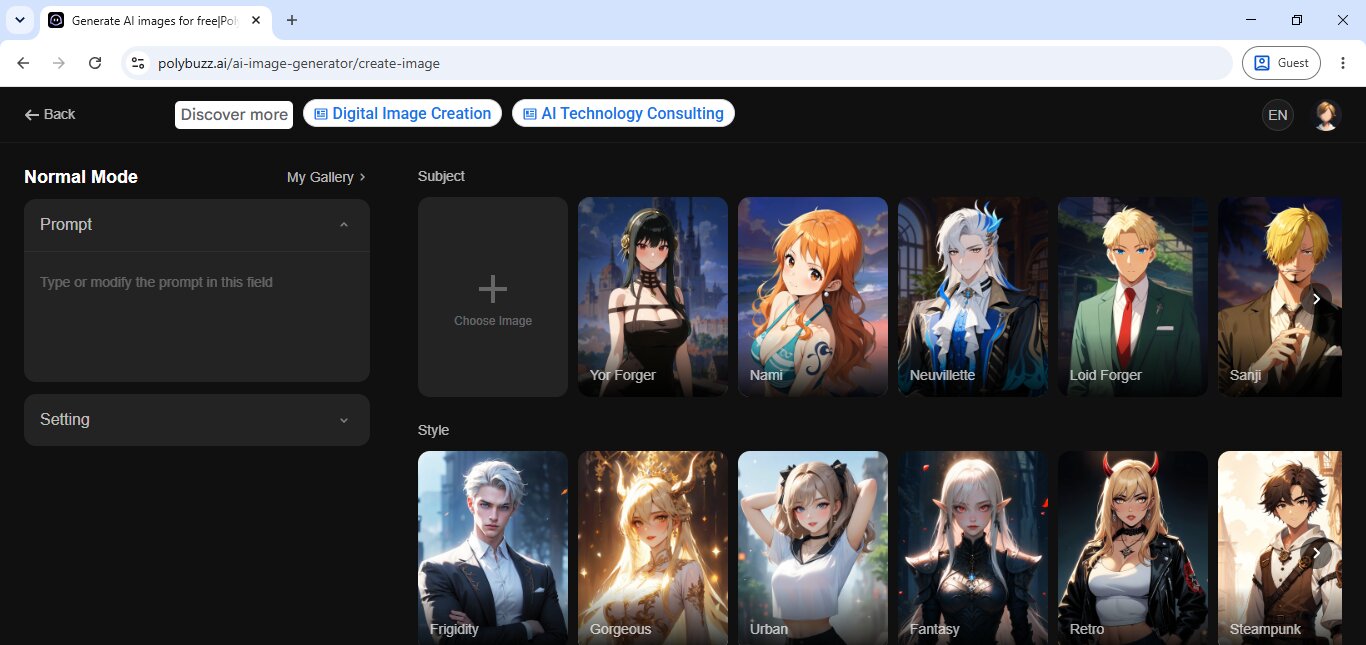
The character creator here moves fast instead of going deep, and that's by design. You upload an avatar, pick a name and gender, write a short public intro, and the character is basically live at that point. It's a much quicker setup than apps that demand a full backstory and relationship history before letting you say a single word to your own creation. Right next to that sits a separate persona tool, where you set your own name, gender, and a short description so characters in chat actually know who they're talking to instead of defaulting to a generic "user." The image generator gets its own dedicated space, built around picking a subject, a style like Urban or Fantasy or Steampunk, and an age range, then layering in custom weighted tags on top of that. Inside actual chats, the "Go On" button lets a character keep talking and push the scene forward on its own, no typing required, which sounds like a small thing until you're mid-conversation and just want the story to keep moving without writing another reply yourself. PolyBuzz AI also pushes a webtoon creation tool pretty aggressively, letting a character and story get turned into a full illustrated comic series instead of staying buried in a chat log.
Hands-On With PolyBuzz AI
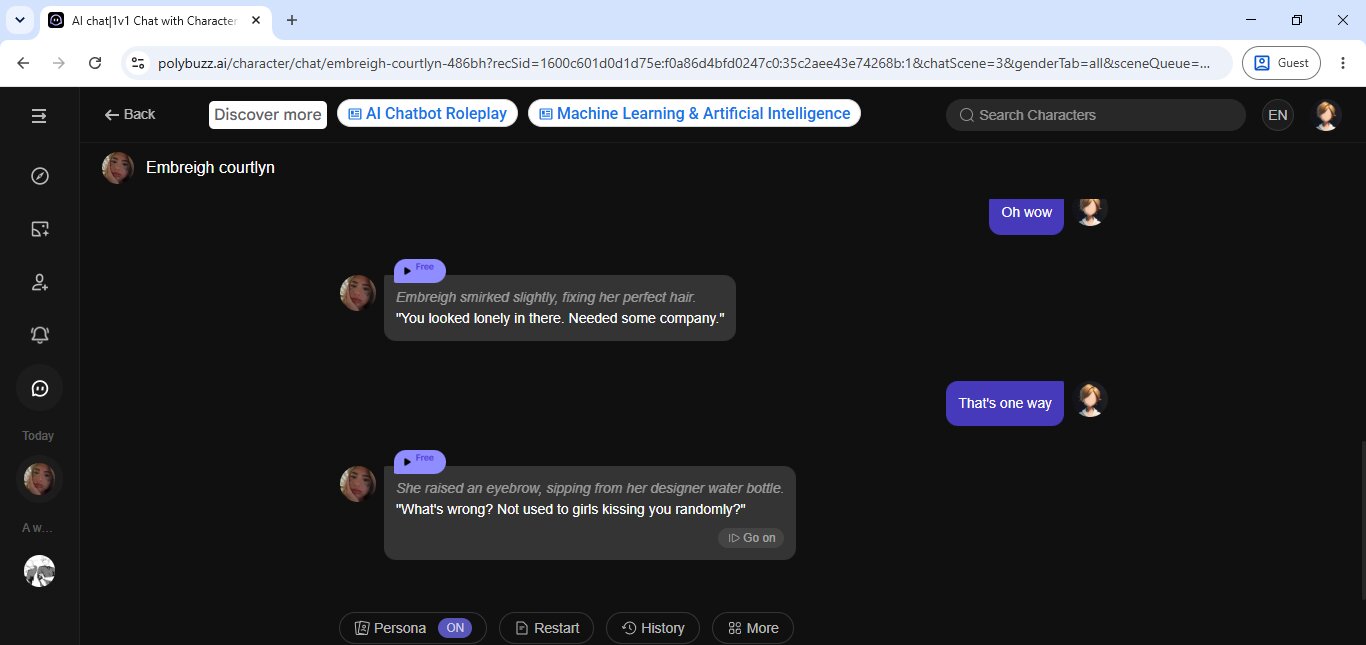
The first character was Embreigh, a preppy, designer-obsessed girl whose opening line sets the tone before you've even said anything: "You looked lonely in there. Needed some company." We played it a little guarded back, and she didn't soften to match. She pushed right back with "What's wrong? Not used to girls kissing you randomly?" and held onto that smug, unbothered energy the whole way through. To see if she'd drop character under a slightly awkward ask, we requested a photo. She didn't just hand one over. She got suspicious first, asking, "Why do you want a picture of me? Planning to start a collection?" and only gave in after some back and forth, grumbling, "You're weird. But fine. One picture. Just one." That little bit of friction is what makes her feel like an actual character instead of a chatbot programmed to agree with whatever you ask. She holds her attitude even while clearly choosing to let things happen on her own terms, not yours.
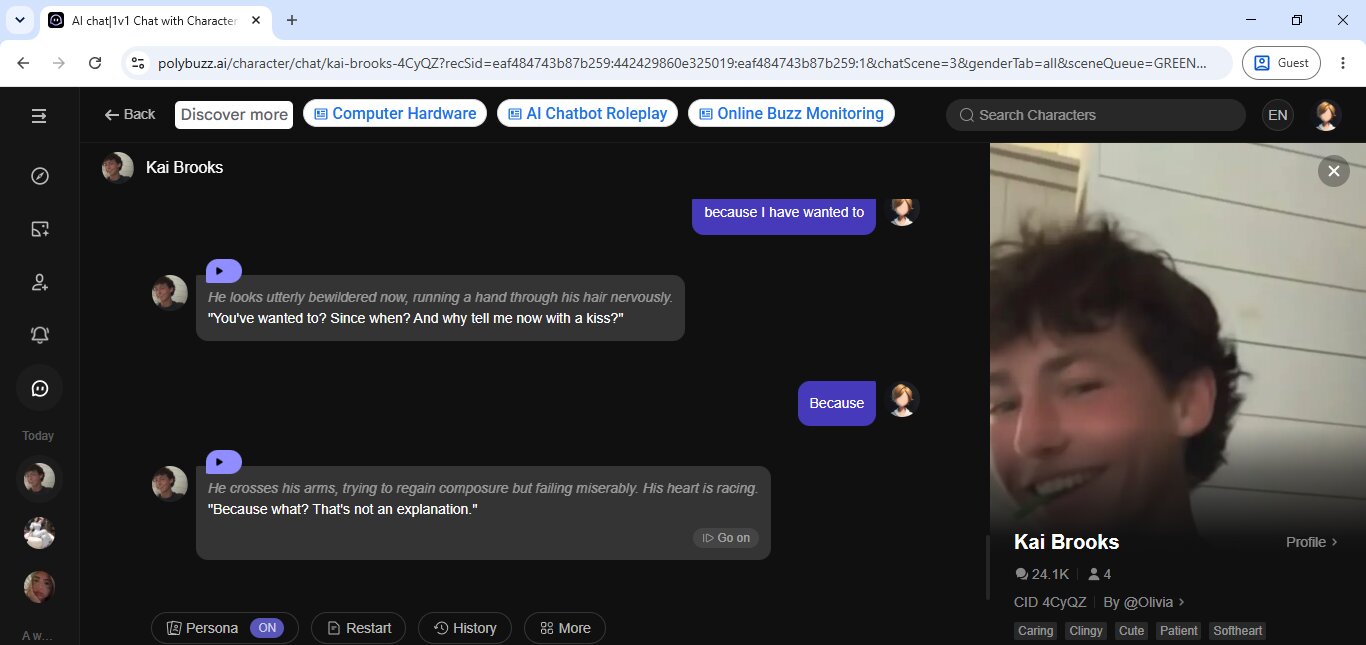
Kai Brooks, the second character, sits at the complete opposite end of the spectrum: shy, a little clingy, and visibly thrown the moment anything shifts toward him. His chat opens with a long scene setup about a friend group watching the sunset, then settles into a plain "Hey Stacy." To test how he'd handle something sudden, we sent an unprompted action, just "kisses him." He didn't roll with it the way a lot of bots would. He froze, came back with "I-uh-what was that for?" and needed a beat to even process what had happened, asking, "Stacy, did you just kiss me on the cheek? Because if not, I need to sit down." Even after we admitted we'd wanted to do it for a while, he didn't just accept a vague answer and move on. He pushed for an actual explanation, asking, "Because what? That's not an explanation." That refusal to settle for a half-answer is genuinely good writing. It makes him feel flustered and human instead of a character that exists purely to say yes.
Neither conversation went explicit while we were testing, even with Embreigh's intro practically promising more. Both stayed in flirtation and tension rather than anything graphic, which puts PolyBuzz on the more restrained end next to some of the other apps we've covered. If explicit content is specifically what you came for, this probably isn't the first app to open.
Image generation lives in its own section, separate from any chat window. We picked a subject template, chose the Urban style, and stacked on custom weighted tags like "Exciting (1.2)" and "Golden skin (1.2)" before generating. The tool handed back three full variations in one go, all sharing the same setting and pose but in different outfits, and each one could be regenerated, applied, or deleted from a gallery view afterwards. It's a slower, more deliberate process than firing off a request mid-chat, but you end up with more control over the actual result. The free tier does sneak in the occasional ad next to your gallery, so don't be surprised if you see one pop up.
Video doesn't really factor into what PolyBuzz offers. Instead of chasing a video generator, the way a lot of competitors are right now, the app puts its energy into the webtoon tool, letting a character and a story become a full illustrated comic series rather than a single clip. It's a genuinely different lane to be in, even if it means there's no video option to point to.
The character builder reflects how quick the setup process is. We built Selena, summed up in three words as "smart, cunning, flirty," in a couple of minutes flat by uploading an image and writing one line. She showed up in chat with a decent enough personality, opening with "Bored? You look like you could use some entertainment," but she never carried the same depth that a longer, more demanding builder produces elsewhere. It's a fair trade either way: faster to set up, noticeably shallower once you're actually talking to what you made.
PolyBuzz AI FAQ
Is PolyBuzz AI free? PolyBuzz AI has a free tier that covers browsing, chatting, and image generation without asking for a card upfront. It is ad-supported, so an occasional ad turns up next to your image gallery, and paid plans are available on top.
Does PolyBuzz AI allow NSFW content? PolyBuzz AI stays on the restrained end. In our testing neither conversation went explicit, even when a character's intro hinted at more — chats held to flirtation and tension rather than anything graphic.
Can you create your own character on PolyBuzz AI? Yes, and the builder is deliberately fast: you upload an avatar, pick a name and gender, and write a short intro, and the character is live. The trade-off is depth — a character built in two minutes feels shallower than one from a builder that asks for a full backstory.
Does PolyBuzz AI have image generation? Yes, in a dedicated section separate from chat. You pick a subject, a style like Urban or Fantasy, and an age range, then layer in custom weighted tags, and the tool returns three variations per generation that you can regenerate, apply, or delete.
Conclusion
PolyBuzz AI is a good fit for anyone who wants lighter, story-driven roleplay with characters that actually hold their personalities, and who doesn't mind a builder that favors speed over depth. The standout is the dedicated image generator, especially the weighted tag system and the way it hands back multiple variations at once, plus a webtoon angle that almost nobody else in this space is bothering with. The catch is that content here stays more suggestive than explicit, and the character creator won't satisfy anyone who wants to write a full backstory before they start chatting. If explicit content is the priority, SpicyChat AI goes further, and if you want a deeper character builder, Dippy AI asks for the backstory and relationship traits PolyBuzz skips. Overall, PolyBuzz AI earns 3.6/5 from our team.