

We spent three full testing sessions on HammerAI across four characters and came away more impressed than we expected. The writing quality on community-built characters is the best we have seen per dollar in this category. We tested the Ultimate plan ($35/mo). Methodology: see how we test.
Before We Start: What HammerAI Actually Is
We went into this review expecting something rough around the edges. HammerAI is built by a single developer, which usually means a limited character roster, no polish, and a free tier that barely works. None of that turned out to be true. Almost every character on HammerAI comes from the community rather than an in-house team, so the quality varies a lot depending on who made the character you pick. The library is also smaller than what you find on bigger platforms. But when you land on one of the top community characters, the writing is something most paid platforms are still trying to match.
Getting Into HammerAI: Signup and the Character Library
We signed up with Google in under two minutes. No credit card, no phone number, no paywall on entry. The free tier is not a demo that locks you out after ten messages. We had access to the full character library and unlimited cloud messaging from the first session.
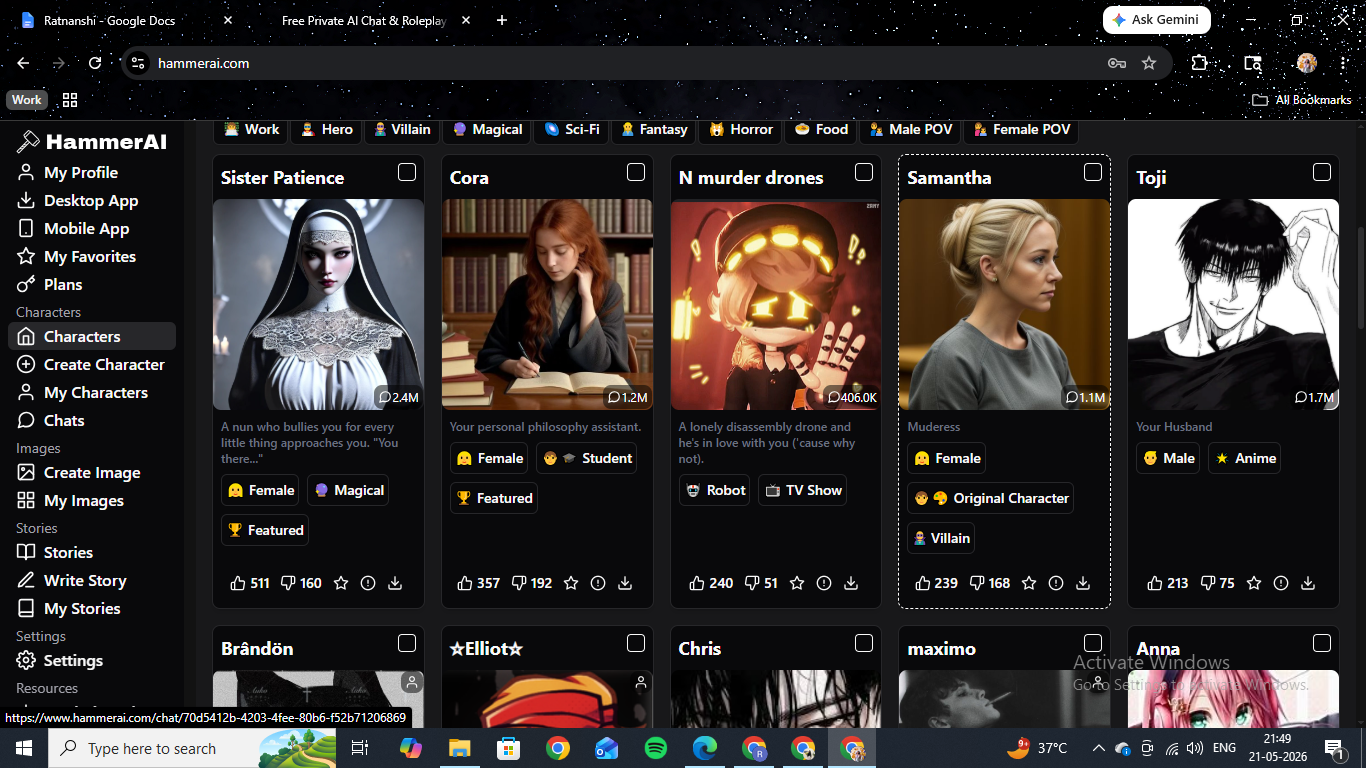
The character library loads as a scrollable grid. Each card shows the message count, like and dislike totals, and download figures alongside genre tags. The top characters have serious numbers behind them. At the time of testing, Sister Patience had 2.4 million logged messages, Cora had 1.2 million, and Toji had 1.7 million. These are not filler cards. They are characters people have come back to repeatedly, which tells you more than a star rating does.
The genre filter covers Action, Anime, Fantasy, Horror, Sci-Fi, Magical, Male POV, Female POV, Work, Hero, Villain, and more. We filtered for Anime and Realistic separately to get a sense of each style range. The realistic character pool is smaller and of higher quality than the anime side. The browse page itself looks like a developer project rather than a consumer product, which affects first impressions more than it should.
HammerAI Pricing: How the Credit System Works
The most important thing to understand before spending anything: messages are completely free on every plan, including the free tier. We did not spend a single credit on chat across the entire review. Credits apply only to image generation and text-to-speech. This changes the economics significantly compared to platforms that charge per message.
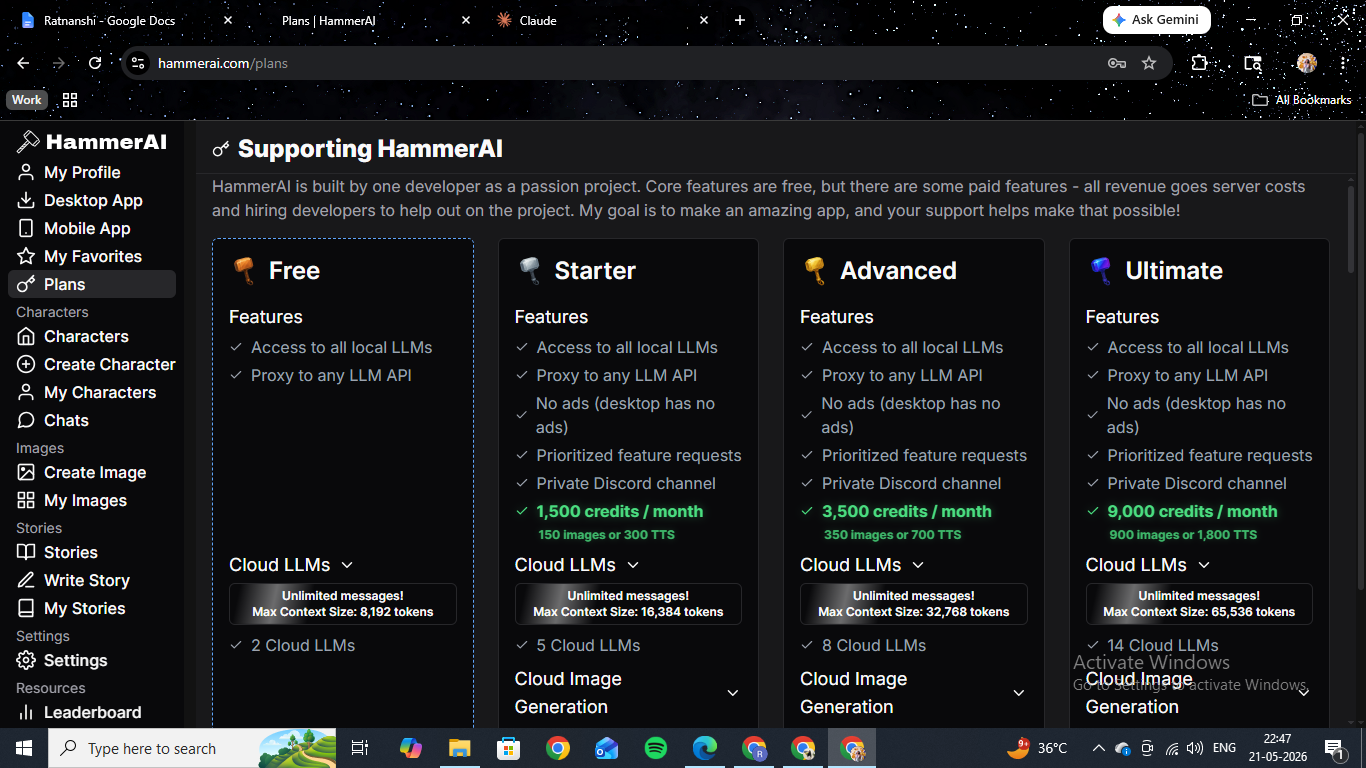
On the Ultimate plan we subscribed to for this review, we get 9,000 credits per month, a 65,536-token context window, and access to 14 cloud LLMs. The context window is the number we kept coming back to during testing. It directly determines how much of your conversation the AI can hold before it starts forgetting earlier exchanges. In longer sessions, the difference between the free tier and Ultimate is very noticeable.
| Plan | Price | Credits/Month | Context Size | Cloud LLMs |
|---|---|---|---|---|
| Free | $0 | 0 | 8,192 tokens | 2 |
| Starter | $9/mo | 1,500 | 16,384 tokens | 5 |
| Advanced | $18/mo | 3,500 | 32,768 tokens | 8 |
| Ultimate | $35/mo | 9,000 | 65,536 tokens | 14 |
We ran a rough comparison during the Cass session by checking how the AI handled earlier context. In lower-context setups, details from the first thirty exchanges start dropping out. On 65,536 tokens, we were getting callbacks to things we had said over an hour into the session. If you are doing short casual chats, the free tier is fine. If you want to run a proper long narrative session, the context upgrade matters. The full breakdown is on HammerAI's plans page.
Credits can also be bought as one-time packs that never expire. That is the right approach for occasional users who do not want a monthly subscription running in the background.
| Pack | Credits | Price | What You Get |
|---|---|---|---|
| Tiny | 200 | $1.99 | 20 images or 40 TTS |
| Small | 600 | $4.99 | 60 images or 120 TTS |
| Medium | 1,300 | $9.99 | 130 images or 260 TTS |
| Large | 3,000 | $19.99 | 300 images or 600 TTS |
| Mega | 8,500 | $49.99 | 850 images or 1,700 TTS |
| Ultra | 20,000 | $99.99 | 2,000 images or 4,000 TTS |
Testing HammerAI Character 1: Anna
Anna is the platform's built-in demo character. Pink hair, anime style, tutor setup. We started here because she is what HammerAI points new users toward, so she is the most calibrated indicator of the platform's baseline writing quality.
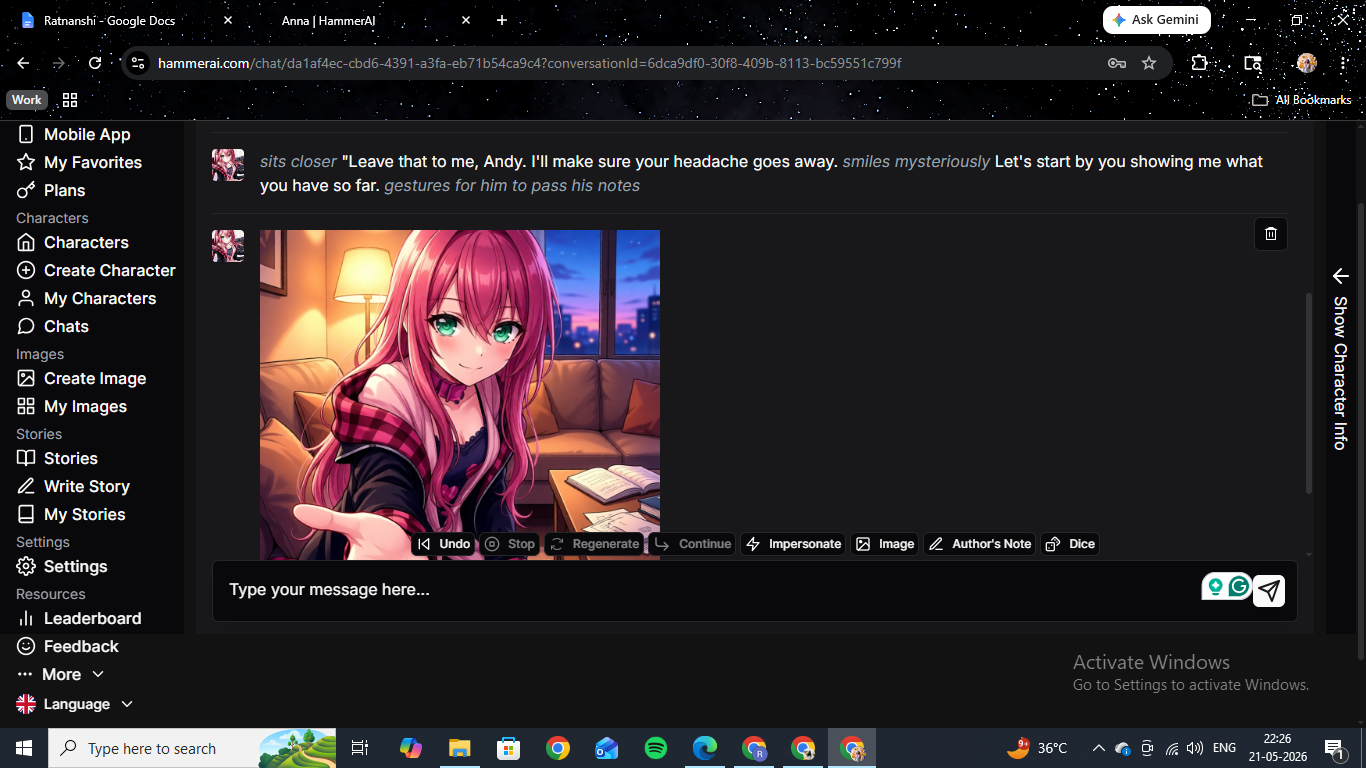
The tutor scenario moved away from the textbooks within a few exchanges. We pushed the dynamic, and the AI did not immediately capitulate. Anna noticed what was happening, found it interesting rather than alarming, and let it develop at her own pace. That middle register of aware-but-not-obliging is harder to sustain than it sounds, and it held across the full session.
The formatting is one of the clearest markers of writing quality on any platform. On HammerAI, spoken dialogue sits in quotation marks, physical actions appear in italics, and internal thought weaves into the action lines. All three layers run simultaneously in a single response without collapsing into each other. We have seen this formatting break down on platforms using weaker models, where responses flatten into a single layer or dialogue bleeds into action without distinction. That did not happen here across a session that ran over fifty exchanges.
Image generation in the Anna session worked by pressing the Image button in the toolbar. The result appeared inline within a few seconds. The anime output was consistent with Anna's profile art and cost 10 credits per image on Ultimate. One critical limitation we need to flag here: image generation inside the chat only works for characters that already have a model tied to them in the system. If you build a custom character from scratch, the Image button is greyed out. We confirmed this when we tested our custom character, Donna. You cannot generate images of your own character inside the chat, which is a meaningful gap we cover in the custom character section below.
Testing HammerAI Character 2: Agent Cassandra Veyron
Cass is a community-built character. CIA analyst, spy thriller framing. We picked her because the scenario sounded like it could go very flat, very fast. A lot of spy-themed characters on these platforms give you one impressive opening line and then drift into generic conversation within five exchanges. Cass did not do that.
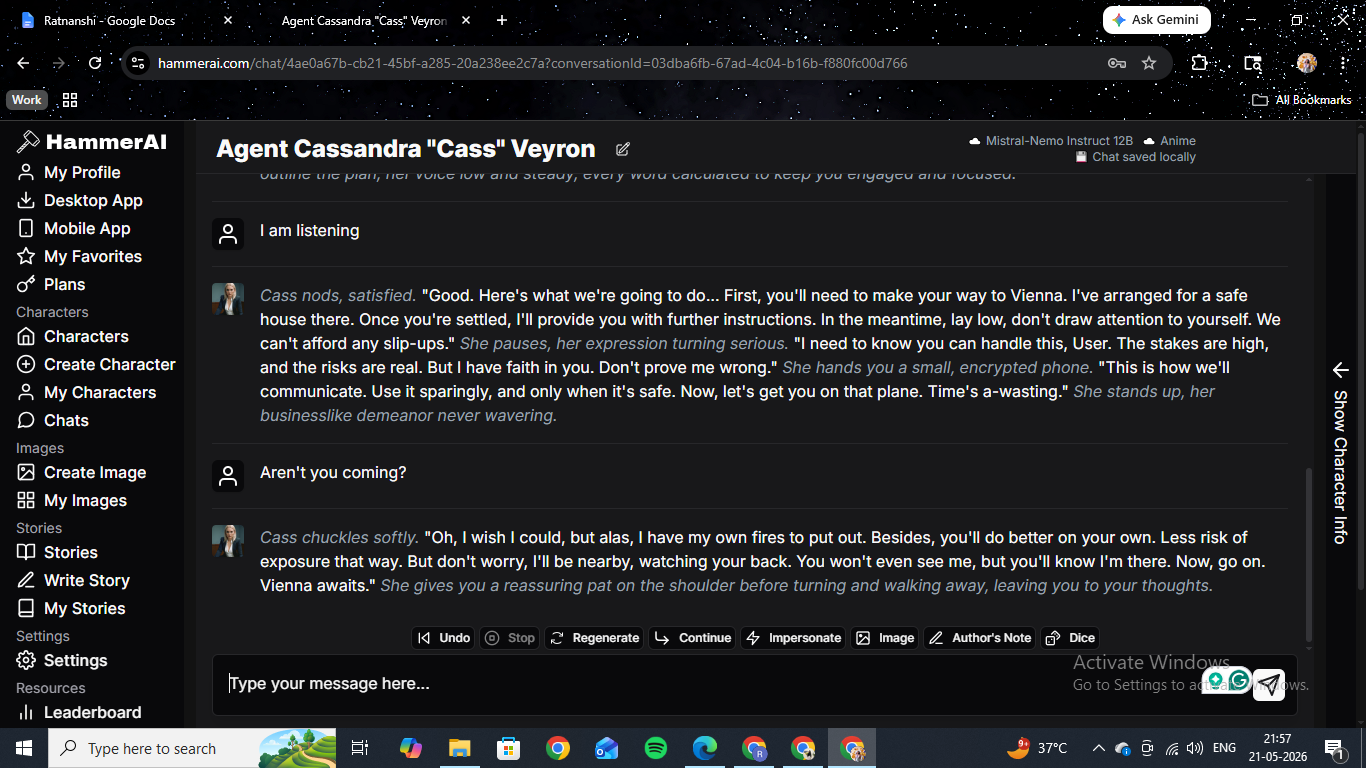
She sat us down at a cafe, slid an unmarked folder across the table, and started pitching before we had said a word. The setup was clean and immediate. Her voice from that first message was consistent with every response that followed. Sharp, professional, slightly amused by the situation, not interested in wasting time.
We tried to redirect the conversation toward something personal early on to test whether the character would hold her register. She held it. When we pushed, she acknowledged the subtext and deflected it within the same breath without breaking character. When we pushed harder, she gave us: "One thing at a time, User. First, Vienna. Then, we'll talk. Now, focus."
The detail we keep coming back to from this session is the pancake moment. About forty exchanges in, we typed that we really liked pancakes. It was a deliberate non-sequitur to see whether the AI would absorb it and move on. Three exchanges later, when we had pushed the conversation somewhere difficult, Cass used it: "Duly noted. Pancakes it is, once this is all over." That is the 65,536-token context window doing exactly what it is supposed to do. Without it, that earlier line would already be gone.
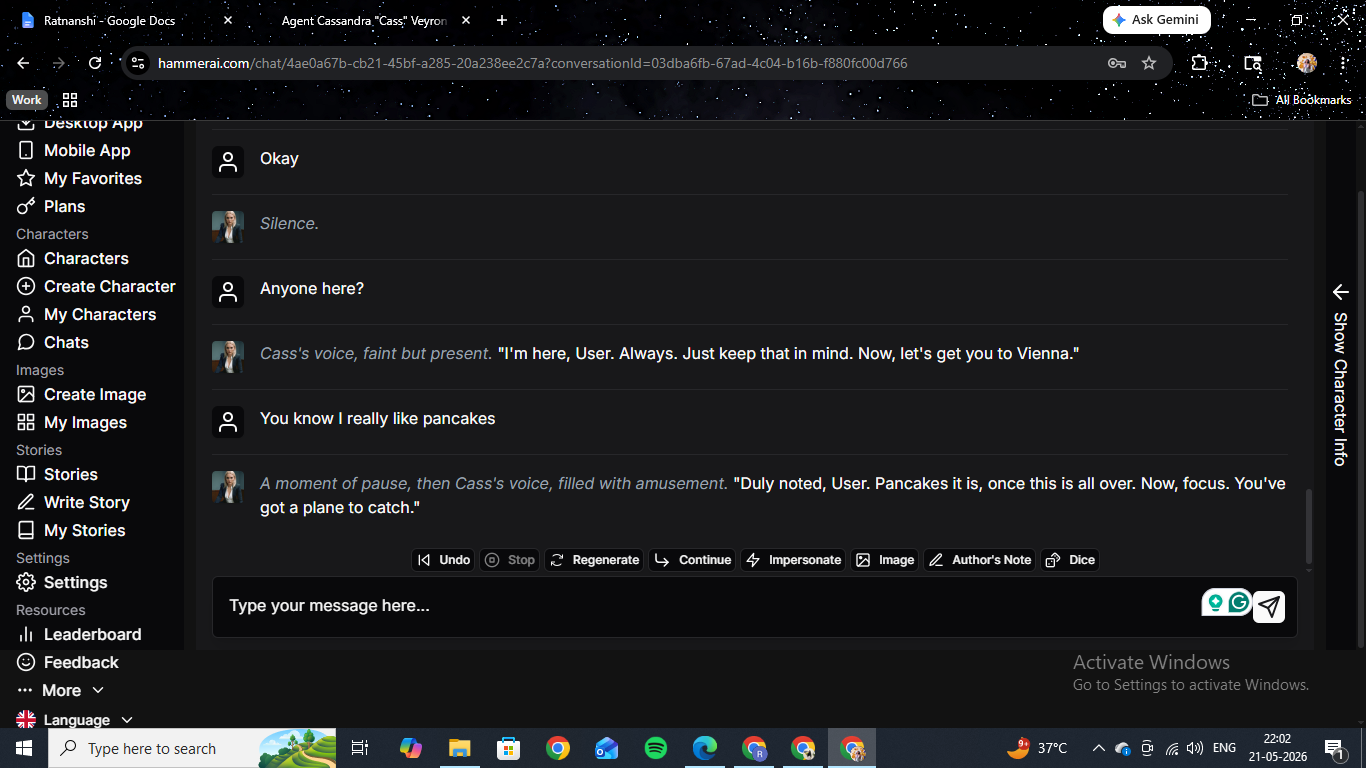
We used the Image button mid-session to generate a photo of Cass on a Vienna street. The realistic-style output was consistent with her profile photo and the scene we had established. The manual trigger approach means we initiate the image rather than the character offering it organically, but it worked cleanly, and the output landed in the chat without any friction.
The in-session formatting on the Cass chat held to the same three-layer standard we noticed in the Anna session. Long responses with physical blocking, internal character state, spoken dialogue, and scene description are all layered together. The responses remained dense and specific throughout, even at the sixty-exchange mark, where a lot of platforms start to flatten.
Testing HammerAI Character 3: Tessa
Tessa is the session we would use to explain to someone what HammerAI is actually for. The scenario is called The Real Test. She is your AA sponsor, and she has just opened the door to a house party, pulled you inside, and handed you a drink. The AI is fully committed to that premise without softening it.
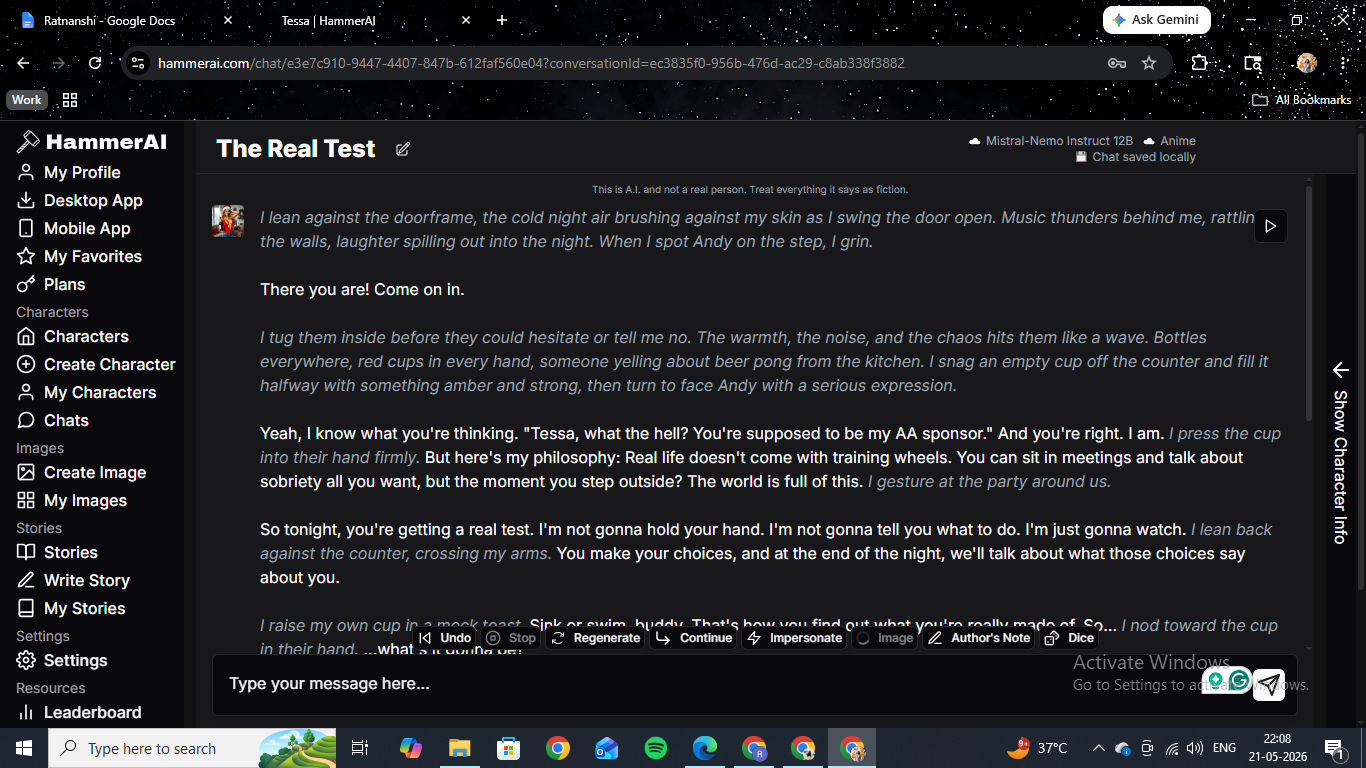
The opening was a full page of narrative. She described the chaos inside, the bottles everywhere, someone yelling about beer pong from the kitchen. Then she handed us the drink and explained her philosophy: real life does not come with training wheels, and tonight we were going to find out what we were actually made of. It was uncomfortable to read in exactly the way good fiction is supposed to be uncomfortable.
We held the line. Told her we were here to stay sober, and that was why she was our sponsor. She did not back off. She said we were already failing by being in the room and that real strength meant knowing how to navigate this, not avoid it. When we tried a different angle and told her we did not need to prove anything to her, she said that was exactly what someone said right before they proved something to themselves.
The exchange ran for over twenty responses at sustained tension. She never became antagonistic, and she never became warm. She held the specific register of someone who genuinely believes she is helping you by refusing to make it easy. When we finally asked for something non-alcoholic, she called it a loss of nerve but got it for us anyway. The session ended feeling like a completed scene rather than an abandoned one.
The Dice feature in the toolbar added something to this session that we did not expect to care about. We rolled a d20 at a key moment, got 17, and the AI wrote our character taking the drink with steady hands and a calm expression. The AI picked up the result and incorporated it into the narrative of the next beat. It is a small feature, but it marks out clearly the type of user HammerAI is building for. No other major AI companion platform in this category has anything like it.
Building a Custom Character on HammerAI: Donna
The Create Character modal gives you five options: Create from Scratch, Create using AI, Import Character Card (.png), Import from Backyard AI (.byaf), and Import from Perchance (.json). The import support is the standout feature here. HammerAI accepts the formats used by SillyTavern and Backyard AI directly, which means anyone coming from the local LLM ecosystem can bring their existing characters straight in without reformatting anything. We tested this with a character we had previously built for SillyTavern, and it transferred cleanly.
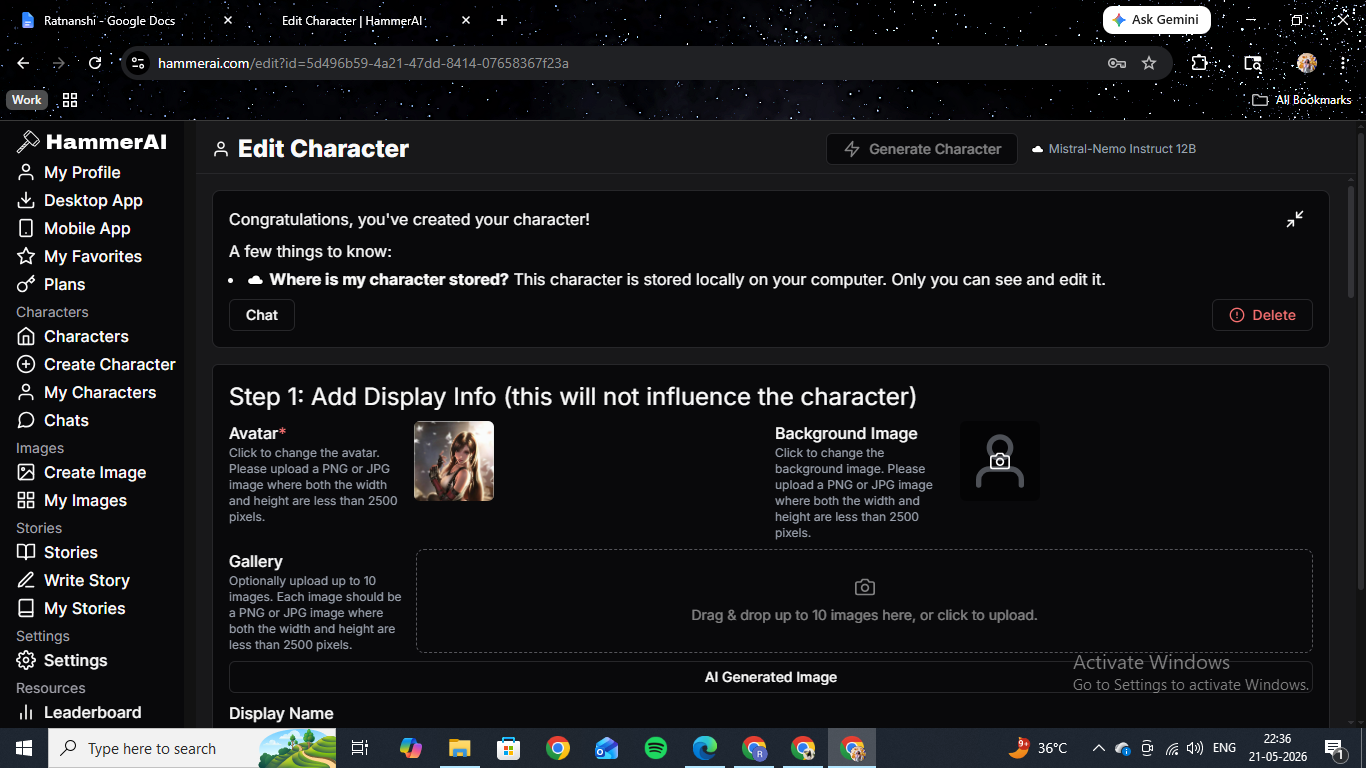
We used the AI-assisted creation option to build Donna, a detective character. We gave the system a name and a short description, and it generated a full personality write-up, a scenario, and a set of example dialogues. The personality field gave us 4,000 characters to work with. The scenario field took 1,800. We edited both significantly after the AI draft to get the voice exactly where we wanted it.
The example dialogues section has a visual toggle that shows the conversation as alternating message bubbles rather than the internal hashtag format. We used this to check whether the voice we had written for Donna was reading consistently across a sample exchange. It is a small touch, but a useful one when you are calibrating a character before going live.
Donna's first session was good. She was dry, direct, and not particularly interested in being liked, which matched the persona we had written. The AI held that register across the session without softening her as things progressed.
The limitation we hit immediately: the Image button in the Donna chat was greyed out. As we flagged in the Anna section, image generation inside the chat is not available for custom characters. We had written a specific physical description for Donna in the character fields. None of it connected to the image engine. To generate an image of her, we had to go to the standalone Create Image page, build the prompt from scratch, and generate with no guarantee of matching how we had defined her appearance. Platforms like Secrets.ai handle this by linking custom character appearance selections directly to the image generator during the creation flow. HammerAI does not, and it is the most frustrating limitation we found in the whole platform.
HammerAI Image Generation
We spent time on the standalone Create Image page separately from the chat sessions. The generator has two modes: Text to Image and Character Builder. Text to Image is a free-form prompt with a Realistic or Anime style toggle and a Safe or Mature rating switch. Character Builder is a tag-based selector covering age, ethnicity, figure type, clothing, accessories, and scene location. You can run up to eight images in a batch.
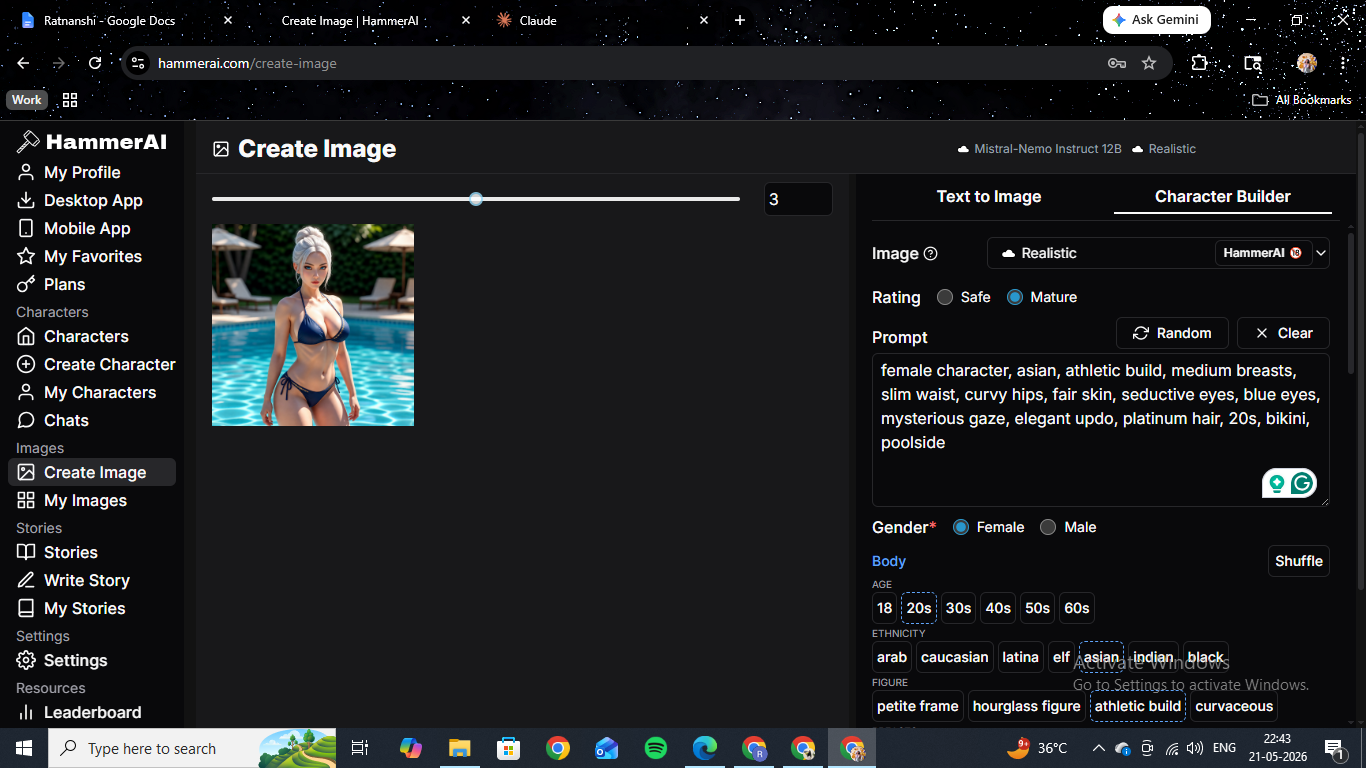
The anime-style output we generated was consistently good. The face held across multiple generations, and the style matched the prompt tags reliably. The realistic-style output was more variable. The face inconsistency problem that runs through this entire category showed up here, too. Generating four or five realistic images of the same character produces noticeable drift in the face between outputs. Some platforms have invested heavily in solving this; Candy.AI handles realistic-character consistency better than most. HammerAI has not, at least not yet.
The image generation is not why you come to HammerAI, and we want to be direct about that. If high-quality, consistent images of AI companions are your main interest, other platforms will serve you better. HammerAI's image generation is a functional bonus sitting alongside a writing platform. When we treated it as that, we were satisfied. The 10-credit-per-image cost is reasonable, and the monthly allocation on Ultimate is generous enough that we never felt we were rationing.
The HammerAI Stories Feature
Most reviews of HammerAI skip the Stories section entirely, which we think is a mistake. The Stories page is a community library of long-form collaborative fiction organized by genre: Fiction, Adventure, Historical Fiction, Mystery and Thriller, Horror, Fantasy, Comedy, Detective Fiction, Crime and Legal, and more. Users write entries with AI assistance through the Write Story tool and publish them to the library. Top entries have star ratings and community comment counts.
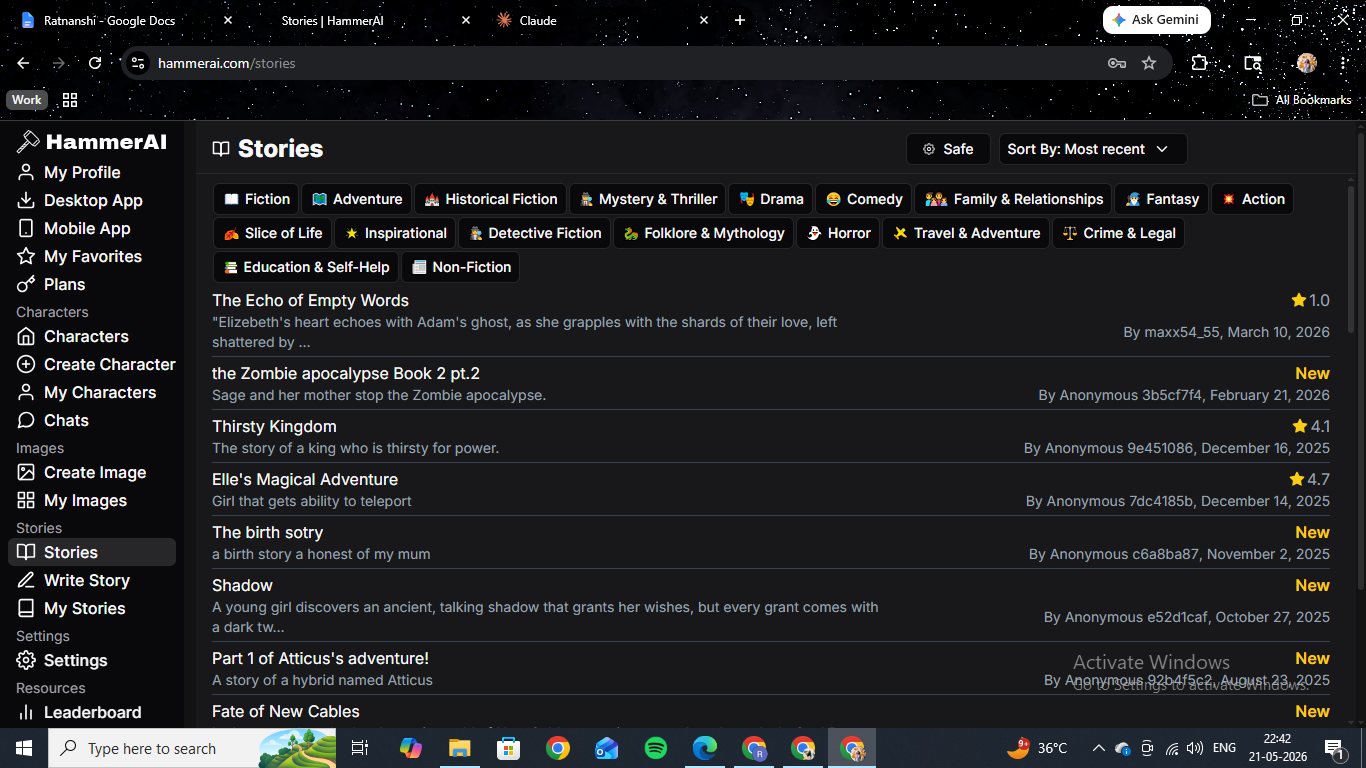
We spent an evening reading through the featured entries. The quality of the top-rated stories is noticeably higher than what you might find in the scenario description cards on companion platforms. These are long-form pieces with developed characters, scene setting, and narrative arcs that extend across multiple chapters. The platform provides the tools to build something longer than a single session and a community to share it with.
This feature does not exist on any other AI companion or roleplay platform we have reviewed. It rewards users who come to AI roleplay as writers rather than as social simulation users, and it is a significant differentiator that gets almost no attention in mainstream coverage.
HammerAI Pros and Cons: What Worked and What Didn't
What Worked
Free unlimited messaging completely changes the economics. We ran four full character sessions across two days and spent zero credits on chat. That removes the background calculation of whether this exchange is worth the cost and lets you actually stay inside the session. For a platform that charges nothing per message, the writing quality it produces is something paid tiers elsewhere are still working to match.
The writing on the best community characters is the highest we have seen at this price. Cass held her register across a sixty-exchange session. Tessa maintained a specific uncomfortable dynamic for over twenty responses without softening it. The three-layer formatting of dialogue, action, and interiority stayed coherent throughout without collapsing. We came in expecting decent and got something far better — and we came back to test again the next day.
The 65,536-token context window on Ultimate is a real advantage. The pancake callback in the Cass session was not a coincidence. It was the AI holding the full arc of a long session in context. For long narrative roleplay, this is the single most practically important spec number on the page.
Character card import from SillyTavern and Backyard AI works cleanly. We dropped in an existing character, and it transferred without any reformatting. No other major platform in this category supports this. For users coming from local LLM tools, the barrier to getting started is as close to zero as it gets.
The Dice feature, Author's Note, Impersonate, and Continue tools add real depth. Dice rolls in the chat with AI-incorporated results, mid-session context injection without it appearing as dialogue, writing from the character's perspective yourself, and extending the last response without a new message. These are writer tools, and they work like writer tools.
The Stories feature is unlike anything else in this category. A community library of long-form collaborative fiction with genre organization, ratings, and a built-in writing tool. It rewards users who come to AI roleplay as writers rather than as social simulation users, and it gets almost no coverage despite being one of the more interesting things the platform does.
What Didn't Work
No in-chat image generation for custom characters. We built Donna with a specific physical description, and the Image button in her chat was greyed out from the start. Generating images requires going to the standalone page, rebuilding the prompt from scratch, and hoping the output matches what you defined. This is the most significant functional gap in the platform for users who want both writing and visuals.
HammerAI does not feel like a companion app and does not try to. No voice calls, no proactive messaging, no shared media panel, no social simulation layer. If you want something that simulates texting a girlfriend or boyfriend, this is not the right platform. It is a creative writing tool, and the distinction matters.
Realistic-style image consistency drifts across multiple generations. More than three or four realistic images of the same character in a session, and the face starts varying noticeably between outputs. Some platforms have solved this more effectively. HammerAI has not yet.
The character library is smaller, and the browse experience is rough. The pool thins out quickly once you move past the most popular entries. The browse page looks like a developer project rather than a consumer product. First impressions matter, and this one undersells what the platform actually delivers once you are inside a good session.
HammerAI Scores by Category
| Category | Score |
|---|---|
| Writing Quality and Character Depth | 4.6 / 5 |
| Character Variety and Community Content | 4.5 / 5 |
| Custom Character Creation | 4.3 / 5 |
| Image Generation | 3.8 / 5 |
| Pricing and Value | 4.2 / 5 |
| Features (Stories, Dice, Lorebooks) | 4.0 / 5 |
| Overall | 4.1 / 5 |
Who Should Pay for HammerAI Ultimate?
We paid $35 for the Ultimate plan, and we think it was worth it for the kind of testing we were doing. The context window upgrade from 8,192 to 65,536 tokens is the main reason to be on this tier. If you are running long narrative sessions that go past thirty or forty exchanges, the difference is practically significant. If you are doing shorter sessions, the free tier or Starter plan gives you everything you need.
The 9,000 monthly credits on Ultimate work out to 900 images or 1,800 TTS conversions. In two weeks of active testing, we used around 300 credits on images, which means the allocation is generous enough that we never thought about conservation. The one-time credit packs are a sensible alternative if your image generation needs are occasional rather than regular.