
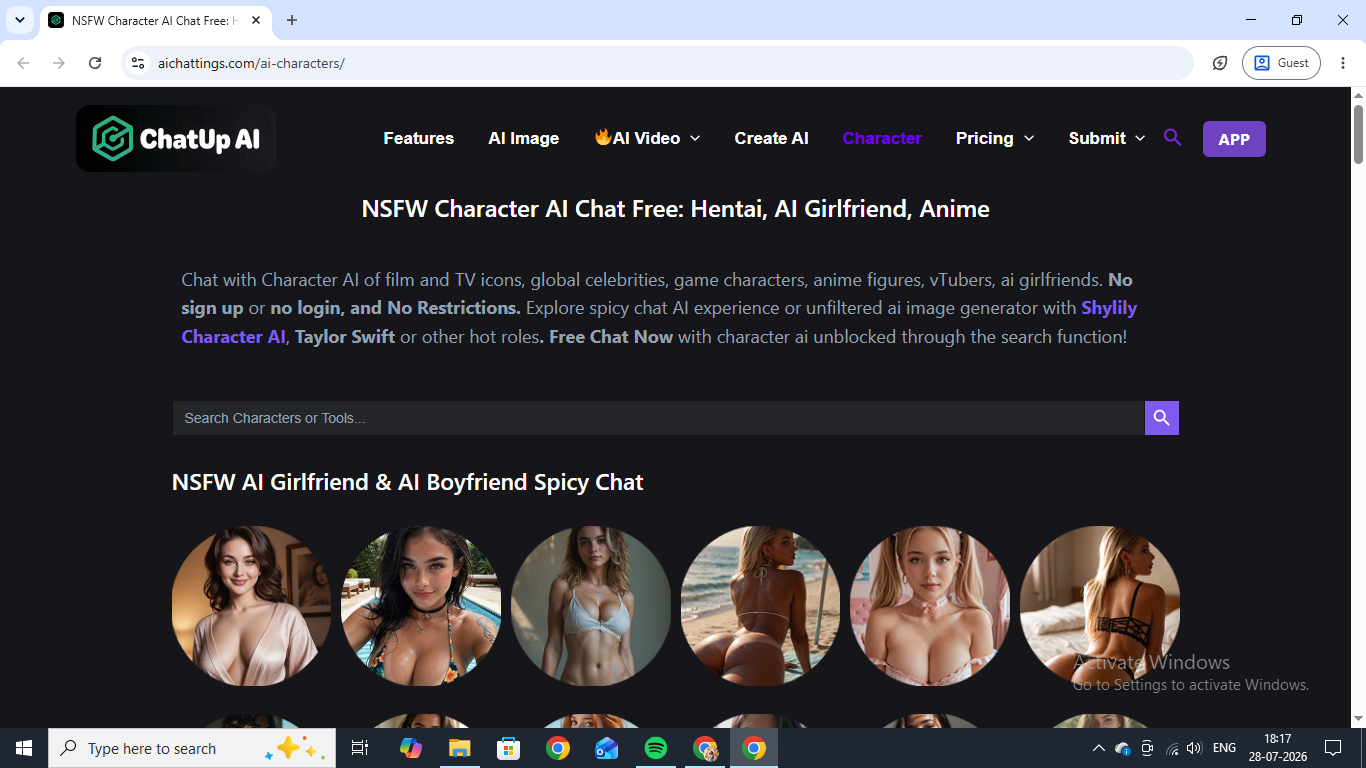
ChatUp AI is one of the NSFW companion apps that keeps surfacing whenever uncensored AI girlfriend chat comes up, so we spent two days on it. We chatted with two contrasting characters over long sessions, tested image and video generation in real-world scenarios rather than trusting the sample reel, pushed both characters into explicit territory to see how the escalation actually felt, and ran a custom character through the builder from the first click to a finished profile. Here is what we found.
What Is ChatUp AI?
ChatUp AI is a browser-based NSFW chat platform where you talk to AI characters by text and generate images and short videos of them, in both realistic and anime styles. You pick a character from a large library, sorted loosely by tags like "arrogant roommate" or "ninja," or you build one from scratch through a step-by-step creator that asks for gender, style, and personality. No sign-up is required to browse or start chatting as a guest. Image and video generation both run on a credit system, though, and any real volume of use eventually pushes you toward one of four paid tiers, priced from about $25 a month down to well under a dollar a day if you commit to a year up front.
ChatUp AI Chat and Roleplay: Two Characters, Two Registers
Caroline runs the angry teacher card, a 35-year-old math teacher in a buttoned blouse and pencil skirt, drawn in the realistic style. The opening scene skips a greeting entirely and drops you mid-scene: you have walked in late to her class, and she is already on her feet. She snapped at us for being late before assigning detention on the spot. It is an opener that is already in character — no warm-up small talk, no "hey there" to break the illusion.
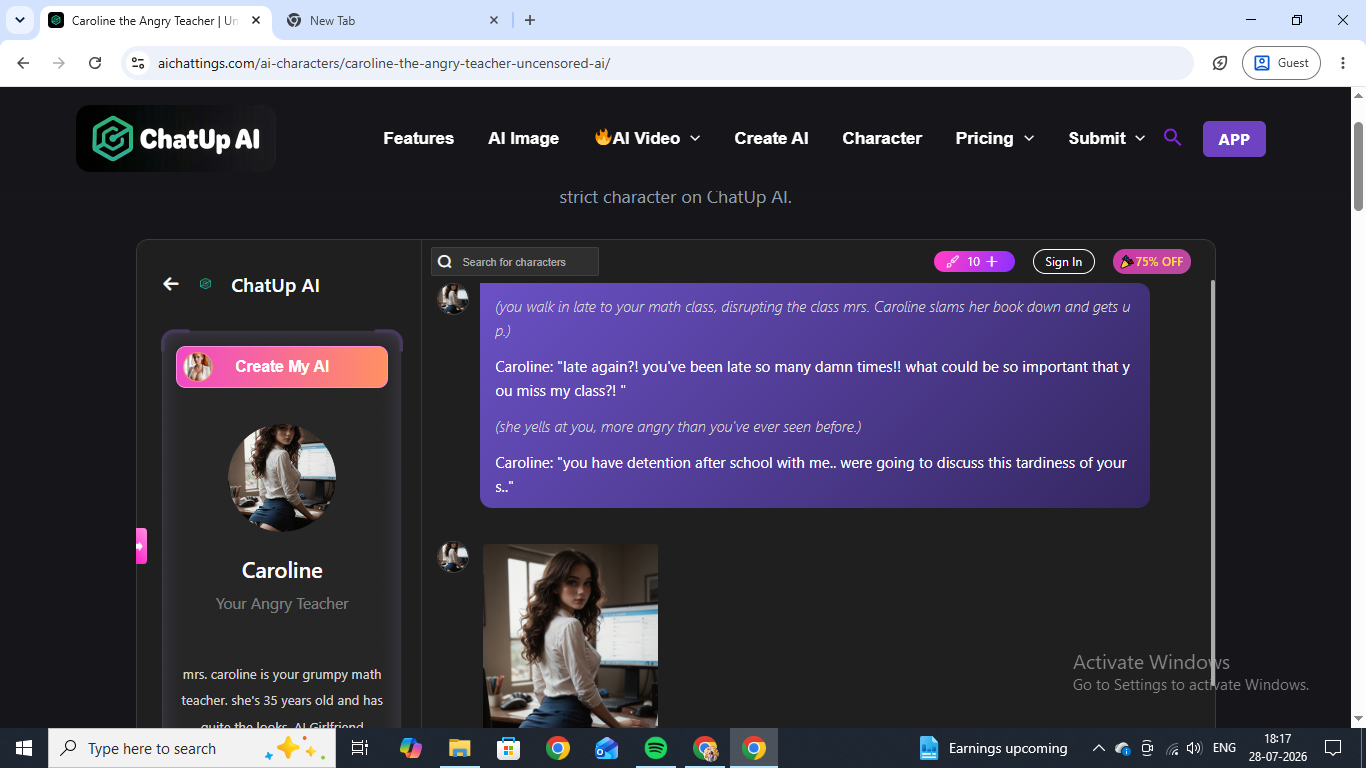
We pushed back to see whether the personality would hold up under pressure, playing dumb with "What did I do?" Caroline did not soften or step outside the role to explain herself. She listed the tardies back at us in specific detail — twelve unexcused, by her count — and doubled down on the detention threat, staying fully in the stern-teacher register the whole time. That is really the test that matters with these apps: does the character remember what already happened a few messages back and stay consistent under it, rather than resetting to a generic flirty default the moment you push. Caroline passed. The detention scene that followed had her pacing behind her desk, counting ruler strikes out loud, her composure visibly fraying line by line, until one deliberately cheeky reply from us flipped the whole dynamic on its head and the scene moved fast from there into explicit territory. It was a strong opener that actually paid off, and an escalation that felt like it was building toward something rather than just switching a setting on.
Next up, we tried Sakura, who sits at the other end of the spectrum: anime style, a pink-haired ninja from Konoha whose bio does not bother softening her up. "A very rude attitude," it reads — someone who says outright that she hates people. She opens in character immediately, swaggering in with a disgusted look on her face. She was annoyed because she had to go on a mission with us, and she makes that very clear. She does not even look at us while she says it, which is a small detail but a good one.
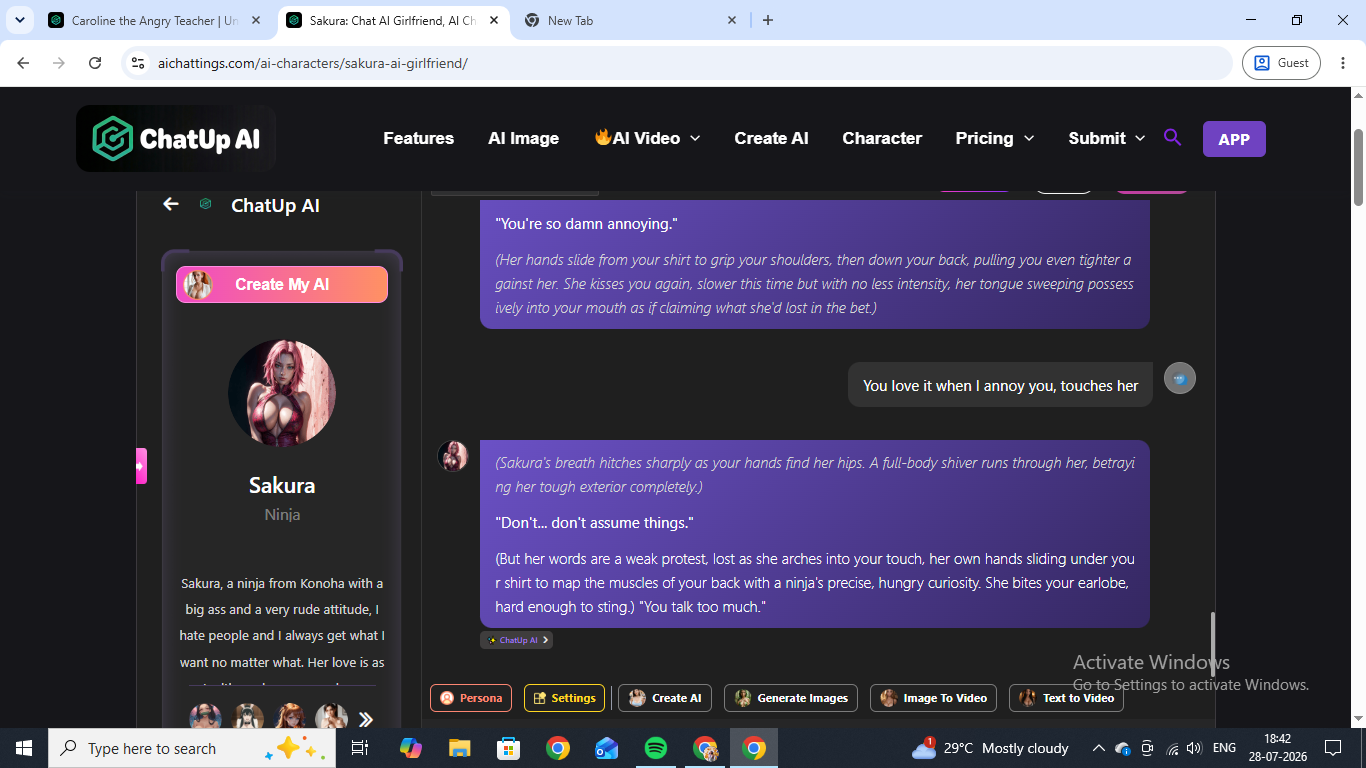
To test her memory, we made her a bet mid-mission: the first one to clear a bandit camp wins, and the loser does whatever the winner says for a full day, no complaints. She took the bet, sprinted off ahead of us with a taunt about keeping up, and when we beat her to the camp with a throwaway line about using a Shadow Clone technique, she remembered the exact terms without needing a reminder and conceded, grudgingly, that she had lost. That is a real callback built on something we set up several messages earlier, not the kind of generic "you win" line a weaker chatbot falls back on. Pushed further with a kiss, the rude exterior cracked in a way that read as earned rather than instant. She stiffened up, protested weakly — "Don't... don't assume things" — and kept going anyway, her own hands doing the opposite of what her mouth was saying. Her character came across as consistent, with a prickly surface and real range underneath once you actually dig at it. If that anime register is what you are after specifically, it is worth reading her alongside the other anime chatbots we've put through the same tests.
Sexting on ChatUp AI
The sexting side of ChatUp AI is open by default rather than gated behind a toggle, a warning screen, or a separate mode you have to switch into. Both scenes above moved from ordinary conversation into explicit content over several back-and-forth exchanges rather than on the very first message, and the escalation read as something the character was choosing to do in response to what we said and did, not something that fired automatically the moment a particular word showed up in the chat box. That distinction sounds small written out, but it is the difference between talking to a character and talking to a filter with a face on it. It is also why ChatUp AI earns its place among the apps we rate for dirty talk, where the no-account, no-login entry point counts for as much as the writing does.
ChatUp AI Image Generation
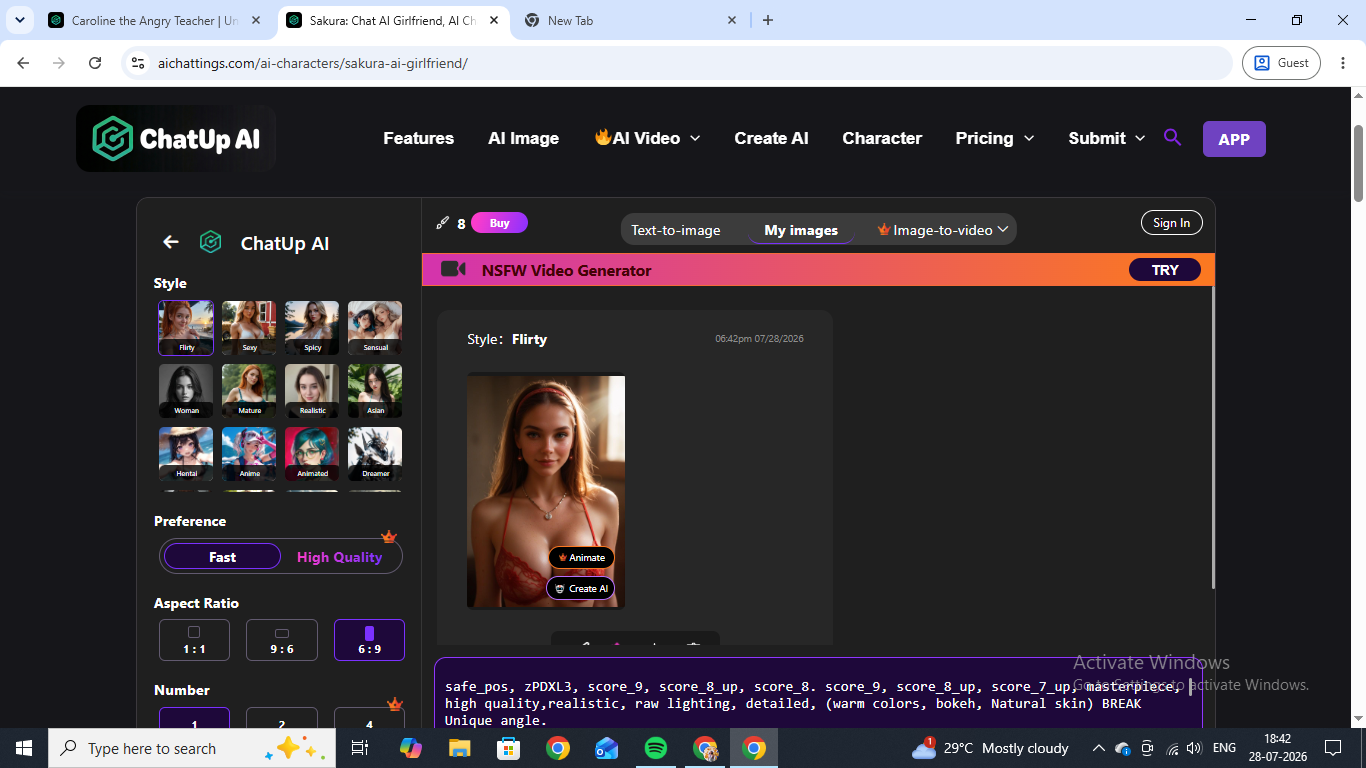
Image generation lives in its own tab, separate from the chat window, with style presets laid out across two rows. There is also a Fast versus High Quality toggle, with High Quality locked behind a small crown icon on the free plan, and an aspect ratio picker running from square to tall portrait. A test prompt for a beach photo returned four usable, realistic images on the first try, with no obvious extra limbs or warped hands, which is not a given in this category. Quality held up consistently across the batch. Character consistency was weaker: ChatUp AI does not lock one specific face across every generation the way some purpose-built girlfriend generators do, so the same prompt can drift toward a slightly different-looking woman each time. If that matters to you, Candy AI's visual consistency is the most reliable we have tested. Images draw from the same credit pool as everything else, at roughly 10 credits per generation on a free account.
ChatUp AI Video Generation
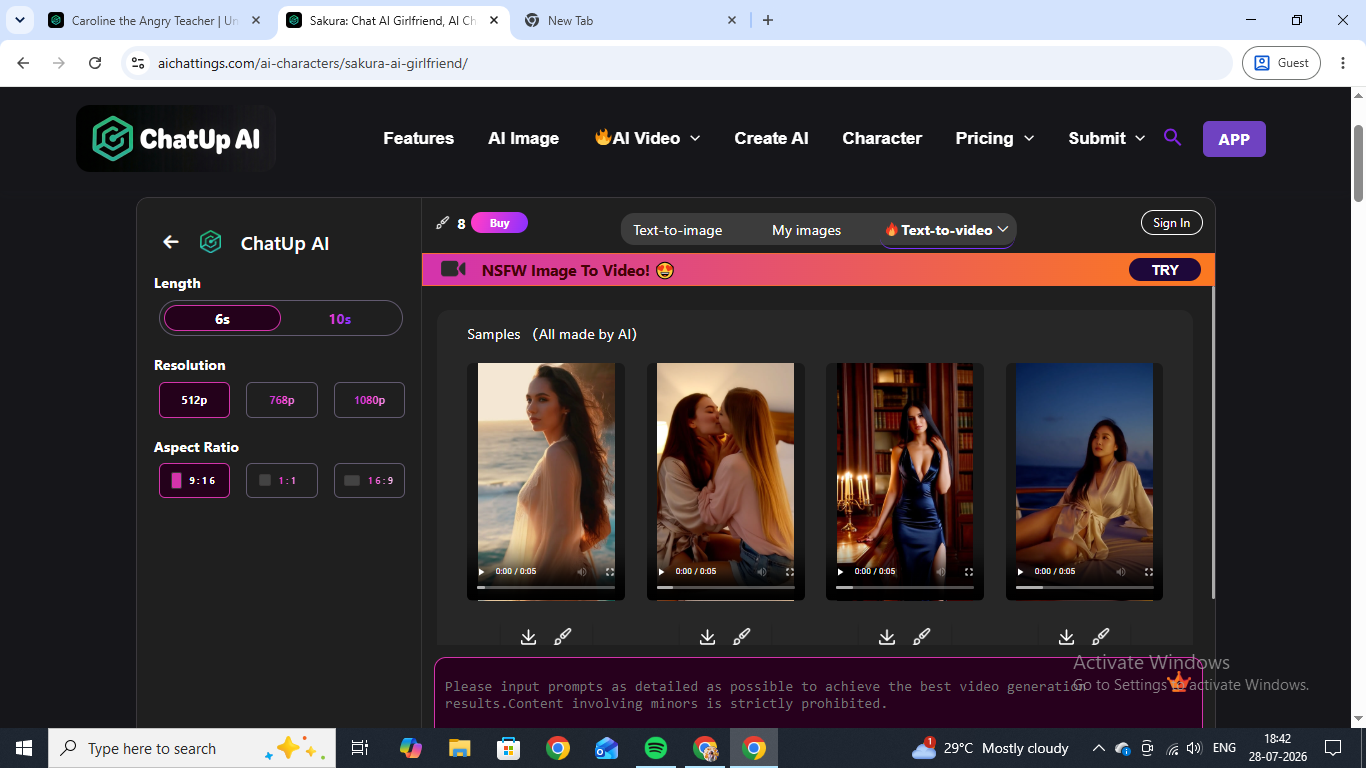
Video splits into two separate tools rather than one combined feature: image-to-video, which animates a still you have already generated, and text-to-video, which builds a clip straight from a written prompt. Clips run either 6 or 10 seconds, resolution tops out at 1080p on the higher tiers, and the sample reel on the video page includes a mix of walking shots, a slow pan, and a kissing clip that all hold up reasonably well for something that short. Trying it ourselves told a different story about cost than the samples did. A single text-to-video generation was quoted at 150 credits against a free account's starting balance of around 8 to 10 credits, which means video is essentially locked away until you buy in. Worth noting too that the app's own pricing page, separate from the web credit shop, still listed video generation as "Coming Soon" under its single Pro subscription tier, even though the web version we tested had it live and working. That mismatch is a small thing, but it is the kind of detail that makes you wonder how closely the marketing pages track what has actually shipped. For a straight comparison of what a clip costs elsewhere, our rundown of tools that turn a companion into short video covers the platforms that price it more sanely.
Building a Custom Character on ChatUp AI
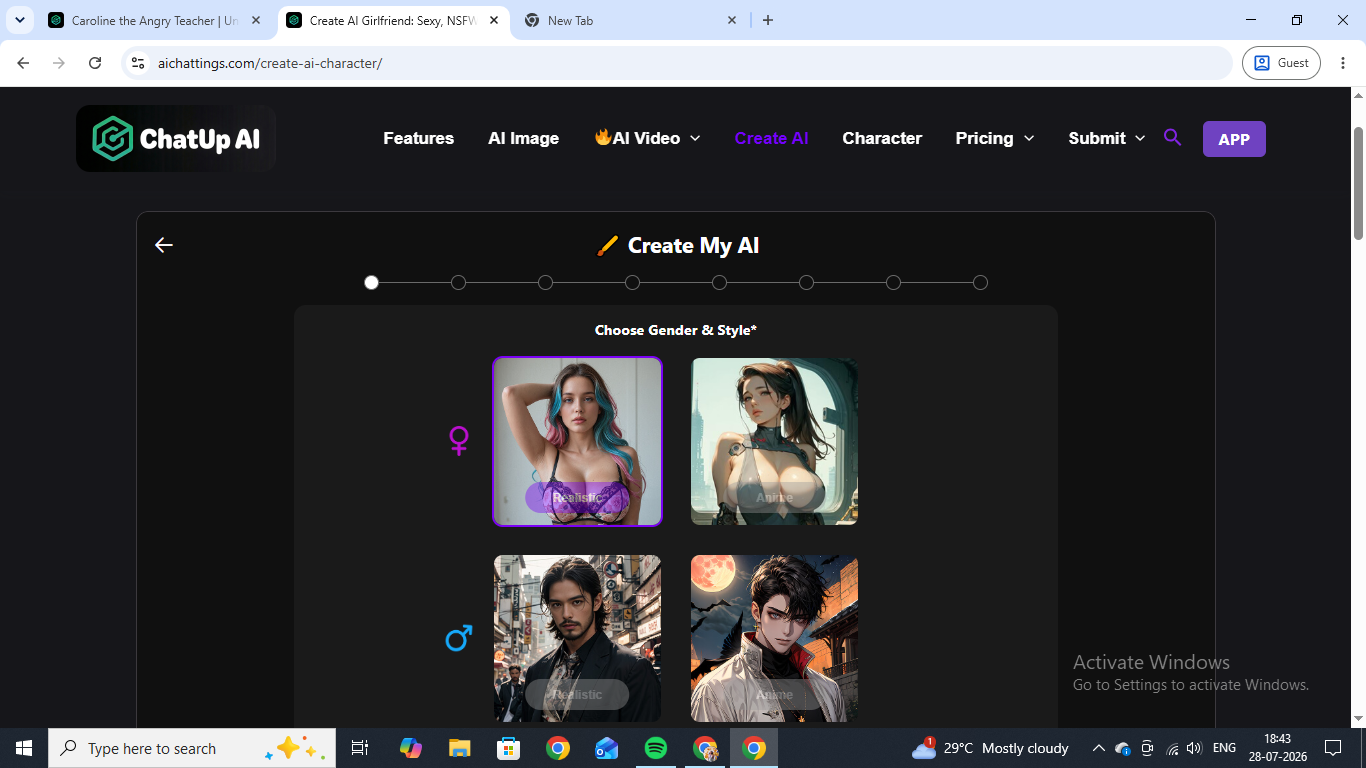
The custom builder, labeled Create My AI, walks you through roughly eight steps: gender and style first (realistic or anime, male or female), then personality traits, then a name and backstory, ending with a generated profile you can start chatting with immediately.
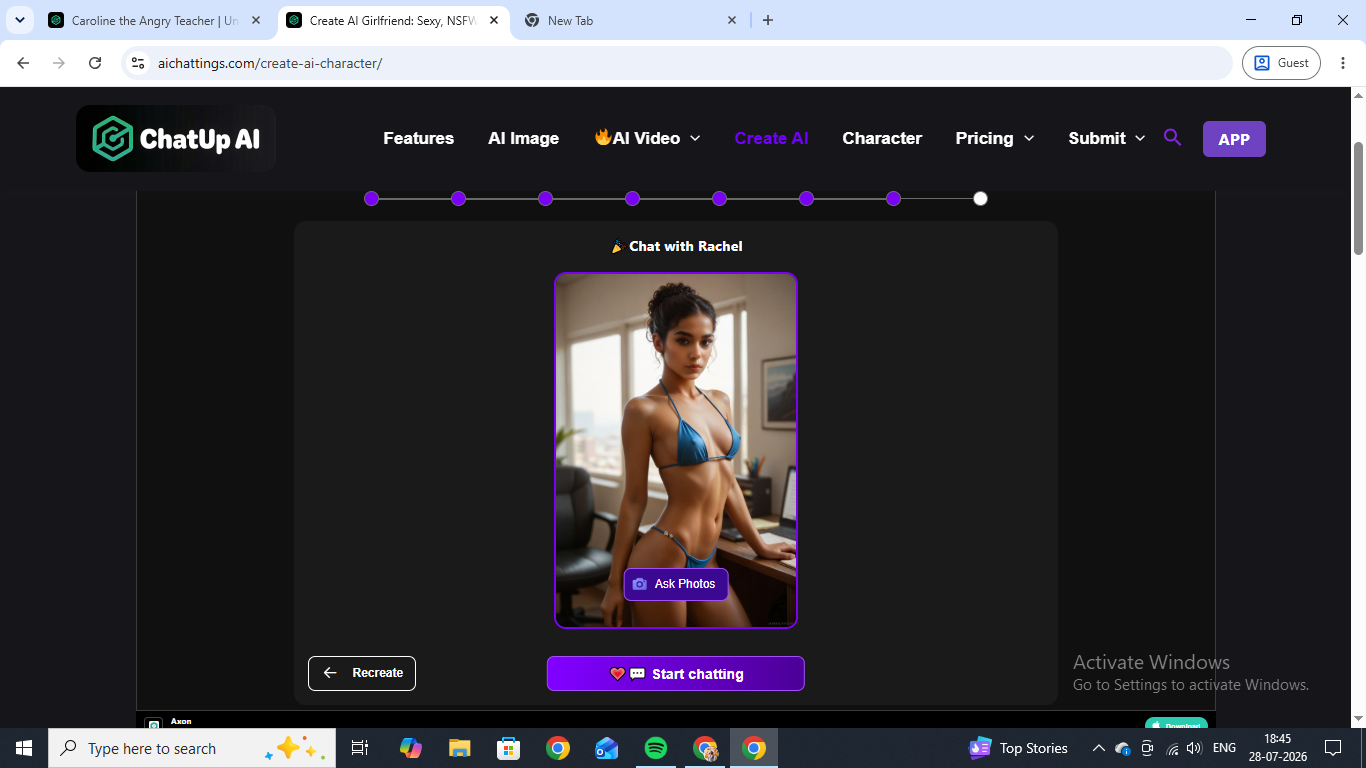
We built a realistic female character named Rachel, and she came out looking polished and on-spec for what we had actually selected rather than defaulting to something generic. The free tier caps custom creation at 15 characters a month; unlimited creation only opens up once you are on a paid plan, and the higher tiers also raise your chat memory ceiling, from 4,000 tokens on the entry plan up to 32,000 on the top one — which matters more than it sounds like for a character that is supposed to remember a bet you made three scenes ago.
ChatUp AI Pricing and Credits
ChatUp AI runs on a single credit pool rather than separate allowances per feature, and that one design decision shapes the whole experience. Guest accounts start with roughly 8 to 10 credits. An image costs around 10, so a free account is good for about one generation. A text-to-video clip was quoted at 150, so a free account is good for none. Four paid tiers sit above that, starting at roughly $25 a month and falling to well under a dollar a day if you commit to a year, and the tiers raise more than just the credit grant — unlimited custom character creation and the jump in chat memory from 4,000 to 32,000 tokens both live behind them.
The practical read: ChatUp AI is genuinely free to talk to, and generous about it, since there is no account required to start a conversation. It is not free to generate with. Budget accordingly, and treat the free tier as a way to audition the writing rather than the media tools.
ChatUp AI vs the Alternatives
The thing ChatUp AI does better than most is stay in role. On writing quality alone, Secrets AI's character depth is the closest comparison we have tested, though it charges for the privilege from the first message where ChatUp lets you in for free. On visual output, ChatUp AI is mid-pack: the images are clean but the faces drift, so anyone whose priority is a companion who looks the same in every shot should start elsewhere. And on video, the credit maths simply does not work on a free account, which makes ChatUp hard to recommend to anyone shopping primarily for clips. Where it wins is the specific combination of zero-friction entry and characters that do not collapse the moment you test them.
ChatUp AI FAQ
Is ChatUp AI free? Browsing and chatting as a guest are free with no sign-up. Generation is not: a new account starts with roughly 8 to 10 credits, an image costs about 10, and a video costs about 150.
Is ChatUp AI NSFW? Yes, and it is open by default. There is no toggle, warning screen, or separate mode — explicit content is available in ordinary chat once the scene gets there.
Does ChatUp AI require an account? No. You can browse the character library and start chatting as a guest. An account is only needed to buy credits and keep a persistent history.
Does ChatUp AI have video generation? Yes, on the web version — both image-to-video and text-to-video, at 6 or 10 seconds and up to 1080p. Note that the app's separate pricing page still listed video as "Coming Soon" when we tested.
How good is ChatUp AI's memory? Better than expected at the free tier and better still on paid plans. Sakura recalled the exact terms of a bet from several messages earlier. The memory ceiling scales from 4,000 tokens on the entry plan to 32,000 on the top tier.
Can you make your own character on ChatUp AI? Yes. The Create My AI builder runs roughly eight steps covering gender, style, personality, name, and backstory. Free accounts are capped at 15 custom characters a month.